Use the Acquisition layout to switch into the live image and to make snapshots. If you need more room to display images, switch to the Fullscreen layout.
In the Acquisition layout, you will be offered the following toolbars and tool windows by default.
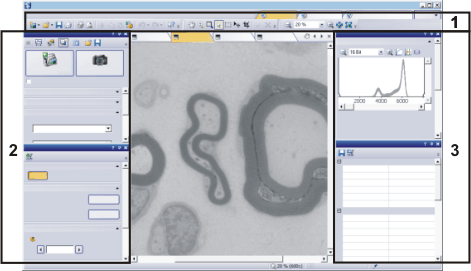
(1) Toolbars
You will find these toolbars at the very top of the user interface, below the menu bar.
(2) Tool windows
You will find these tool windows on the user interface's left-hand border, next to the document group.


(3) Tool windows
You will find these tool windows on the user interface's right-hand border, next to the document group.


See also
00015 10042013