|
|
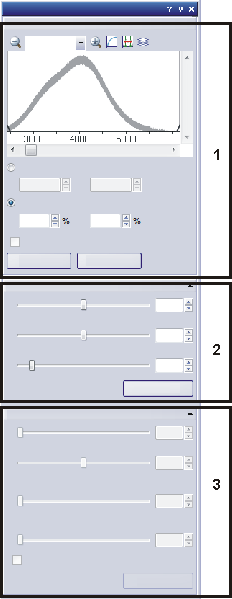
The Adjust Display tool window offers you a variety of possibilities for changing the appearance of the current image. Note: You do not change the actual image data when you adjust the display. The image will only be displayed differently on your monitor. The settings for the display will be saved along with the image, provided you save the image in the TIF or VSI format. Note: If you make changes in the Display Enhancement tool window in live mode, these changes will be applied to the Snap when you acquire it. Making the tool window appearIf the Adjust Display tool window is not on display, use the View > Tool Window > Adjust Display command to make it appear. Alternatively, you can also use the Image > Adjust Display command. The icon next to the command's name will appear clicked when you have the tool window displayed. You can recognize this status by the icon's colored background. Makeup of the tool windowThe tool window is made up of several groups. Click on one of the areas in the tool window shown above to jump to the corresponding help topic. (1) Histogram (3) Fourier Display Enhancement 1707 27022014 |